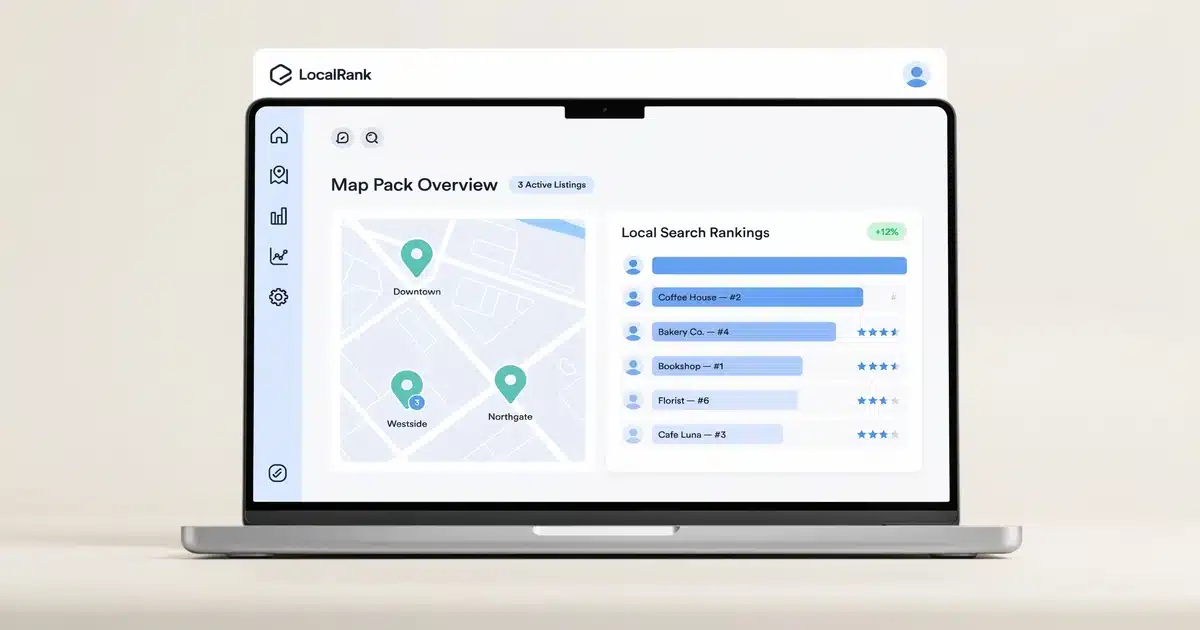

- Local SEO software tracks map pack rankings, listing consistency (NAP), and customer reviews in one dashboard.
- Eight in ten U.S. consumers search for a local business online at least once a week.
- 42% of local searchers click a result inside the Google map pack rather than scrolling further.
- Entry-level tools start around $14–$40/month; full platforms run $50–$100/month; agency/multi-location tiers run $100–$300+/month.
- G2 review data shows local SEO software users skew roughly 73% small-business and 22% mid-market.
You know your business deserves to show up when someone nearby searches “plumber near me” or “best coffee shop downtown.” The problem is you don’t have hours a week to manually check your Google rankings, chase down inconsistent listings, or respond to reviews across five different platforms. This guide explains what local SEO software actually does, what it costs, and which tools are worth your money. If you’re new to SEO tools in general, our breakdown of how SEO software works covers the fundamentals first.
What Is Local SEO Software? (Simple Definition)
Here’s the simplest way to think about it: general SEO software asks “how do I rank for this keyword nationally?” Local SEO software asks “how do I rank for this keyword in my zip code?”
Local SEO software tracks three things: where you rank on the map, whether your business information is correct everywhere it appears online, and what customers are saying about you in reviews.
Most beginners make this mistake: they assume claiming a Google Business Profile is the same thing as “doing local SEO.” Claiming your profile is step one. Local SEO software is what tells you whether that profile — and everything connected to it — is actually working.
How Does Local SEO Software Actually Work?
Most local SEO platforms run on the same basic loop, even if the interface looks different from tool to tool. Local SEO software doesn’t create rankings — it measures and manages the signals Google already uses to decide local rankings, then flags where those signals are broken.
Say you run a two-location coffee roasting business in Austin. Your local SEO software will typically:
- Scan your listings. It checks your business name, address, and phone number across Google, Yelp, Bing, Apple Maps, and dozens of smaller directories, flagging any that are outdated or inconsistent.
- Track your rankings. It simulates searches from different points around each location to show exactly where you appear in the local map pack for target keywords like “coffee roaster Austin.”
- Monitor reviews. It pulls in new reviews from Google, Yelp, and Facebook into one dashboard so you’re not logging into five different platforms to respond.
- Report on trends. It shows whether your visibility is improving or slipping over time, usually with weekly or monthly reports.
I’ve audited local listings for dozens of USA small businesses, and the single most common issue I find isn’t a bad SEO strategy — it’s a phone number that changed three years ago and was never updated on 15 different directory sites. Local SEO software catches this automatically; manual checking almost never does.
Why Local SEO Software Matters for Small Businesses
Local search isn’t a nice-to-have channel anymore — for many small businesses, it’s the primary way new customers find them. The map pack, the three listings shown with the map at the top of local search results, is often more valuable real estate than a standard organic ranking. That weighting isn’t guesswork: Whitespark’s annual Local Search Ranking Factors survey consistently finds that Google Business Profile signals carry more weight than any other single factor in map pack rankings, which is exactly the kind of signal local SEO software is built to monitor and protect.
Businesses that benefit most: multi-location brands, service-area businesses (plumbers, electricians, cleaning services), healthcare providers, restaurants, and any local business competing against several nearby competitors for the same searches.
What Types of Local SEO Software Are There?
Not every local SEO tool does the same job. Most fall into one of four categories.
Key Features to Look For
Key Features
- Local rank tracking — visibility down to specific zip codes or a radius, not just a national average.
- Citation and listing management — flags NAP (name, address, phone) inconsistencies and can push corrections.
- Review monitoring and response — pulls reviews from Google, Yelp, and other platforms into one inbox.
- Google Business Profile auditing — checks for missing categories, outdated hours, or optimization gaps.
- Geo-grid visualization (“heat maps”) — shows a visual grid of rankings across a geographic area.
Local SEO Software vs. General SEO Software: What’s the Difference?
This trips up a lot of USA small business owners: they buy a general SEO tool expecting it to fix local visibility, and it doesn’t, because it isn’t built for that job.
| Category | Local SEO Software | General SEO Software |
|---|---|---|
| Primary focus | Map pack rankings, listings, reviews | Website keyword rankings, backlinks, site audits |
| Key metric | Local pack position, citation accuracy | Organic keyword position, domain authority |
| Best fit | Physical locations, service-area businesses ✓ | Content-driven or national/ecommerce businesses |
The short answer: if most of your customers live within a 20-mile radius, you need local SEO software. If you’re competing nationally or online-only, general SEO software matters more. Many growing businesses eventually use both — general suites like Ahrefs, Semrush, or Moz can handle local keyword research, but the learning curve is steeper if all you actually need is local rank tracking and citation cleanup. It’s also worth pairing local tools with technical SEO software to catch site-wide crawl issues, and with backlink and off-page SEO software to build the authority signals that feed into map pack prominence.
Signs Your Business Needs Local SEO Software
Not sure if you actually need a tool yet? These are the clearest signals it’s time:
- You’ve found conflicting business info online — phone number, address, or hours don’t match across Google, Yelp, and Bing.
- You have more than one location — manually checking rankings and listings doesn’t scale past one or two.
- You’re not sure where you rank in the map pack for your top 5 search terms.
- Reviews are scattered across platforms and you’re logging into each one separately.
- A competitor consistently outranks you locally despite comparable service quality.
If two or more of these sound familiar, a local SEO tool will typically pay for itself within the first month or two by surfacing exactly what’s broken.
Pricing and Plans
Most local SEO tools for small businesses fall into a fairly predictable range, though exact pricing shifts often enough that it’s worth checking the vendor’s current page before you buy.
| Plan Type | Free (Google Business Profile) — $0/mo — Basic listing, posts, insights — Best for businesses just getting started |
|---|---|
| Entry-Level | $14–$40/mo — Rank tracking, basic citation checks — Best for single-location small businesses |
| Mid-Tier | $40–$100/mo — Rank tracking + citations + reviews — Best for growing SMBs |
| Agency / Multi-Location | $100–$300+/mo — White-label reporting, geo-grids, multiple locations |
| General SEO Suite (Local Add-On) | ~$139+/mo — Broad SEO + local toolkit module |
Pricing last verified: July 2026
Pros and Cons
- Saves hours of manual rank-checking and directory audits each month
- Centralizes reviews from multiple platforms into one inbox
- Improves NAP consistency, which directly affects ranking
- Geo-grid data shows precisely where rankings drop off
- Good tools pay for themselves through increased local visibility
- Monthly cost adds up if you’re only managing one location
- Some platforms have a learning curve for geo-grid data
- Entry-level plans often cap the number of tracked keywords
- Citation building features sometimes require manual approval
- Not a substitute for actual on-page SEO and content SEO work
Tool Comparison
We’ve independently tested the leading local SEO platforms for USA small businesses. Here’s where to start based on your biggest need:
| Tool | Best For | Starting Price |
|---|---|---|
| BrightLocal | Multiple outdated listings; one dashboard for citations, rankings & reviews | ~$39/mo |
| Whitespark | Precise map pack position data by location | ~$14/mo (rank tracker) or ~$33/mo (citation finder) |
| Semrush Local Toolkit | Businesses already paying for Semrush Pro for broader SEO work | ~$139.95/mo (full Pro suite) |
| Feature | BrightLocal | Whitespark | Semrush Local Toolkit |
|---|---|---|---|
| Rank Tracking | ✔ | ✔ | ✔ |
| Citation Management | ✔ Built-in | Manual service + software | Limited |
| Best For | SMBs & agencies | Precision rank tracking | Existing Semrush users |
Who Should Use Local SEO Software?
Perfect Fit
Restaurants, salons, clinics, home services that want to stop manually checking Google rankings every week.
Perfect Fit
Need consistent NAP data and rankings tracked across every location from one dashboard.
Good Fit
Managing local SEO for multiple clients who need white-label reporting.
How to Get Started with Local SEO Software
Claim and Verify Your Google Business Profile
This is free and non-negotiable — it’s the foundation everything else builds on. Google’s own Business Profile Help Center walks through the exact verification steps if you haven’t done this yet.
Audit Your NAP Consistency
Manually check your top 5 directories to understand your starting point.
Choose a Tool Tier That Matches Your Size
Don’t buy an agency-tier plan for one location. If you’re unsure which tier fits, our guide on how to choose the right SEO software walks through the criteria that matter most.
Set Up Rank Tracking
Track your 10–15 most important local keywords.
Connect Your Review Platforms
Respond to feedback from one inbox instead of five.
Check Weekly, Then Monthly
Review your dashboard weekly for the first month, then move to a biweekly or monthly cadence once rankings stabilize.
Real User Data
Local SEO software users skew heavily toward small businesses — G2 review data for the category shows a market segment split of roughly 73% small-business and 22% mid-market users, confirming this is a small-business-first software space, not an enterprise tool dressed down. For context on how that compares to the broader SEO software market, see our SEO software statistics roundup. Common praise across review platforms centers on time saved from manual tracking; common complaints include performance slowdowns on tools handling large keyword lists and a learning curve for more advanced geo-grid features.
Final Verdict
Local SEO software earns its cost the moment it saves you more time than the subscription costs — which for most single-location small businesses happens within the first month or two, once you factor in the hours saved on manual rank checks and directory cleanup. If you’re a single-location business just starting out, BrightLocal’s all-in-one dashboard and accessible entry price make it a sensible first step. If precision rank tracking matters most to you, Whitespark is worth a look. And if you’re already paying for a general SEO suite, check whether its local toolkit covers your needs before adding another tool to the stack.
Frequently Asked Questions
What is local SEO software used for?
Do small businesses need local SEO software right away?
What’s the difference between local SEO software and Google Business Profile?
How much does local SEO software cost?
What is the best local SEO software for small businesses?
Can I do local SEO without paying for software?
I’m Shamim Sarker, founder of SoftwareAdvisorHub.com — an independent software review platform built after 8+ years of hands-on SaaS testing. I never accept payment for positive reviews, and I always disclose affiliate relationships upfront.
My goal: Help you find the right software without wasting money on the wrong one.
Areas of Expertise: SEO Tools · Email Marketing · AI Writing Tools · Ecommerce Platforms · CRM Software · Project Management · Analytics
Every review is based on real hands-on testing — no paid placements, no vendor influence. Affiliate links are always disclosed.