Informational Guide
- There are 7 distinct SEO software categories, each solving a different stage of the SEO process — not 25 interchangeable tools.
- Semrush is the top all-in-one suite pick, with Pro tier pricing starting at $139.95/month ($117.33/month billed annually).
- Ahrefs’ own published research found its keyword search volume estimates were accurate for roughly 60% of studied keywords vs. roughly 45% for Google Keyword Planner.
- Entry-level all-in-one suite plans typically run $100–$140/month; point solutions range from free to $200+/month for enterprise data access.
- Technical crawlability issues are the single most common reason a well-written page fails to rank, based on 8+ years of hands-on testing.
What Is SEO Software?
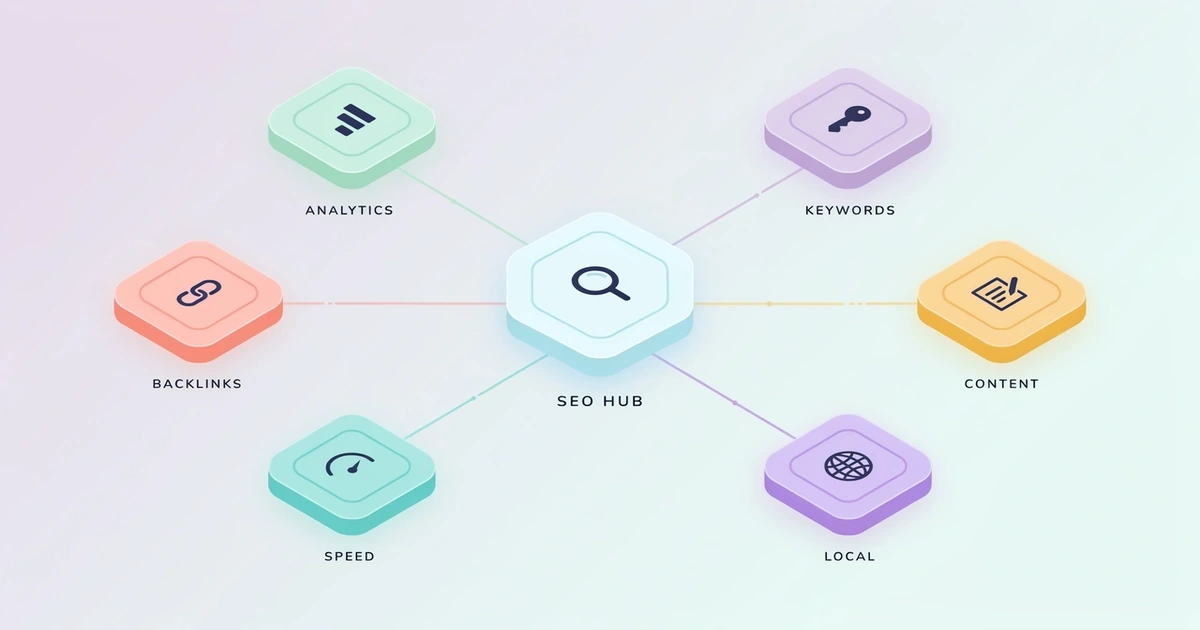
That’s a broad definition on purpose: “SEO software” isn’t one product type, it’s an umbrella covering seven distinct categories, each targeting a different stage of the SEO process.
It’s also worth separating SEO software (tools you use yourself) from SEO services (agencies or freelancers who do the work for you). A lot of “types of SEO” content blurs these together — this guide is strictly about the software. As of 2026, most SEO platforms have added AI-assisted features for content briefs and search intent analysis, but the seven core categories below haven’t changed.
The 7 Types of SEO Software
Here’s what most guides get wrong about SEO software: they list 25 tools with no organizing structure, so you end up comparing a keyword tool to a rank tracker like they do the same job. They don’t. Each category below solves a different problem.
1. Keyword Research Tools
Keyword research tools show you what people are actually typing into Google — search volume, competition level, and related phrases. Who needs this: anyone creating content or ads, from a solo blogger to an enterprise marketing team. A landscaping company, for example, uses a keyword tool to find that “lawn care near me” gets far more monthly searches than “residential turf maintenance,” even though the second phrase sounds more professional.
For a full breakdown of how these tools build and refine that data, see our how keyword research software works guide.
2. On-Page & Content Optimization Tools
These tools analyze a specific page — yours or a competitor’s — for keyword placement, content depth, readability, and semantic coverage, then recommend edits before or after you publish. Some go further with AI-driven content scoring that compares your draft against what’s already ranking. Who needs this: content teams and freelance writers publishing SEO content at volume, where manual competitor research for every article isn’t realistic. See our breakdown of how content optimization tools work for the mechanics behind the scoring.
3. Technical SEO / Site Audit Tools
These tools crawl your website the way Google’s bots do, flagging broken links, slow pages, duplicate content, and indexing errors. Who needs this: any business with more than a handful of pages, especially ecommerce sites where broken product pages directly cost sales. In 8+ years testing these platforms, technical issues are the single most common reason a well-written page never ranks — the content is fine, but Google can’t crawl it properly.
See our breakdown of how site audit tools work for the specific errors these tools catch most often. Pairing any paid auditor with the free data in Google Search Console is standard practice — it’s the only source that shows indexing status straight from Google itself.
4. Backlink Analysis Tools
Backlink tools track which other websites link to yours (and your competitors’), since backlinks remain one of Google’s strongest ranking signals. Who needs this: businesses in competitive niches where content alone won’t outrank established players — legal services, finance, and insurance are classic examples. These tools also let you spot toxic or spammy links pointing at your site before they cause a penalty. This category delivers strong long-term ranking value but the slowest feedback loop — link building is a months-not-weeks game. See our guide to how backlink analysis software works for how Domain Rating and Domain Authority scores are actually calculated.
5. Rank Tracking Tools
Rank trackers monitor where your pages sit in Google’s results for your target keywords, day over day, across devices and locations. Who needs this: anyone who wants to prove SEO is working — agencies reporting to clients, in-house marketers reporting to leadership, and multi-location or franchise businesses that need location-level tracking. Without a rank tracker, you’re guessing whether traffic changes are due to your SEO work or something else entirely. Our deeper look at how rank tracking software works covers why 30- and 90-day trends matter more than daily position swings.
Local SEO is a specialized branch of this category. Multi-location businesses and franchises need location-level rank tracking plus Google Business Profile management — features general-purpose rank trackers don’t always handle well. If that’s your situation, look at a dedicated local SEO platform instead of a generic tracker.
6. All-in-One SEO Suites
All-in-one suites bundle several of the categories above — usually keyword research, rank tracking, technical audits, and backlink analysis — into a single subscription. They’re a reasonable starting point because you’re not managing multiple logins and multiple bills. The tradeoff: suites are great for breadth and stakeholder-friendly reporting, while dedicated point solutions win when data accuracy in one category matters more than convenience. Teams that outgrow a suite often replace one piece at a time — swapping in a dedicated backlink tool once link building becomes a real priority, for instance. If you’re weighing the two leading suites against each other, our Semrush vs. Ahrefs comparison breaks down where each one wins.
7. AI Visibility & AEO Software
This category tracks how your brand and content appear — or fail to appear — in AI-generated answers like Google AI Overviews, ChatGPT, Perplexity, and Gemini, rather than traditional blue-link rankings. It’s the newest category on this list, and it’s growing fast: tools focused on AI discovery cover ground that traditional SEO software never had to address before. Some all-in-one suites are folding this in as a bolt-on feature; dedicated AEO platforms currently offer deeper AI-specific tracking. Who needs this: any business whose customers are shifting research behavior toward AI chat tools — in 2026, that’s most B2B and considered-purchase categories. For the numbers behind that shift — including how much of today’s search traffic already touches AI Overviews — see our SEO software statistics report.
Buy tools by job, not by feature count. A platform you use for two functions out of forty is worse value than two focused tools you use constantly.
Do You Need One Tool or Several?
The short answer is: it depends on your stage, not your budget.
All-in-one suites bundle several categories into a single subscription — a reasonable starting point when you don’t want to manage multiple logins and bills. Point solutions do one category exceptionally well and nothing else, and are the better fit once a specific category becomes a genuine priority.
How to Choose Between Categories for Your Business
- No SEO content yet? Start with a keyword research tool to find out what to write about.
- Content exists but isn’t ranking? Start with a technical audit tool — you likely have a crawlability problem.
- Ranking but stuck below competitors? Add a backlink analysis tool.
- Local business with a physical location? Prioritize local-pack visibility in your rank tracking and Google Business Profile management before anything else on this list.
- Managing SEO for multiple clients or sites? Rank tracking becomes non-negotiable early.
- Already ranking well in traditional search? Layer in AI visibility tracking to protect that visibility as AI answers eat into click-through.
Before you commit to any tool, confirm it integrates with what you’re already running. Most SaaS buyers care about three connections in particular: your CRM (for lead attribution), Google Search Console and Google Analytics (for cross-checking data), and your reporting stack (Slack, Looker Studio, or a client dashboard). A tool with the best raw data in its category is still a poor fit if it can’t push that data into the systems your team actually works from.
For a full walkthrough of vendor evaluation across all nine buying criteria and current pricing tiers, see our how to choose SEO software guide.
Pricing by Category
| Category | Typical Entry Price/Month | Typical Advanced Price/Month |
|---|---|---|
| Keyword Research (standalone) | Free–$30 | $100+ |
| On-Page/Content Optimization | $50–$90 | $200+ |
| Technical Audit | $50–$100 | $300+ (enterprise crawlers) |
| Backlink Analysis | $70–$100 | $250+ |
| Rank Tracking (standalone) | $20–$50 | $150+ |
| All-in-One Suites | $100–$140 | $500+ (agency/enterprise tiers) |
| AI Visibility/AEO | $50–$150 | $300+ |
Most SEO software pricing runs on a per-month basis, with entry-level plans ranging from roughly $20 to $150 depending on category, and higher-priced enterprise tiers adding features like advanced competitor analysis, marketing automation, and AI writing assistance. Watch for per-seat and per-domain add-ons on suite pricing — they can push the real monthly cost well past the advertised entry price once you add team members or track multiple sites.
Point Solutions vs. All-in-One: Pros and Cons
- Best-in-class data in your priority category
- Lower cost if you only need 1-2 functions
- Easier to swap out one weak tool
- Faster feature updates in specialist tools
- Multiple subscriptions to manage (point solutions)
- No unified dashboard/reporting (point solutions)
- One bill, one login — but “good enough” beats “best” in every category
- Data doesn’t always cross-reference cleanly (point solutions)
Who Should Use Each Type of SEO Software?
Start with keyword research + on-page optimization. Skip technical audit tools until your site exceeds roughly 50 pages.
An all-in-one suite at the entry tier, plus a free rank tracker if the suite’s tracking is limited.
A full specialist stack — one tool per category, chosen for data accuracy over convenience.
An all-in-one suite for client-facing reporting, plus specialist backlink and technical tools for execution work.
Tool Recommendations by Category
Every tool below has been through hands-on testing as part of our SEO software buying guide, with pricing verified as of June 2026. Where we link out to a vendor’s own site, that’s a plain informational link, not an affiliate placement — always confirm current pricing directly with the vendor before buying.
| Category | Tool | Why It’s Recommended |
|---|---|---|
| Keyword Research | Semrush / Ahrefs | Lead on database size (20B+ keywords each). Free option: Google Keyword Planner. See our keyword research depth criteria. |
| On-Page/Content Optimization | Surfer SEO | Category standard for NLP-driven content scoring. See how these tools score a draft. |
| Technical SEO / Site Audit | Screaming Frog | Remains the technical-auditing standard (free up to 500 URLs). See our site audit criteria. |
| Backlink Analysis | Ahrefs | Widely regarded as the fastest-updating backlink index in the category. See our backlink database criteria. |
| Rank Tracking | SE Ranking | Strong value pick for beginners and small agencies — 4.8/5 on G2 (1,500+ reviews). See real user reviews and ratings. |
| All-in-One Suite | Semrush | Pro tier starts at $139.95/month ($117.33/month billed annually). See our head-to-head comparison with Ahrefs. |
| Rank Tracking — Local/Multi-Location | Moz Local | Covers citation management and NAP consistency. See our local SEO features checklist. |
Ready to compare options side by side? See our top SEO software picks by use case for full rankings by category.
Key Takeaways
- SEO software splits into 7 categories, each solving a different stage of the SEO process — pick by job, not by feature count.
- Most small businesses only need 2-3 categories at a time, starting with keyword research and a technical audit.
- All-in-one suites (like Semrush, from $139.95/month) trade best-in-class accuracy for convenience and unified reporting.
- Technical crawl issues are the most common reason well-written content fails to rank.
- AI visibility/AEO tracking is the newest category and belongs at the end of your stack, once traditional SEO is solid.
Frequently Asked Questions
What are the main types of SEO software?
Do I need separate tools for each SEO task?
What is the best all-in-one SEO software?
Is there free SEO software that covers multiple categories?
What’s the difference between rank tracking and keyword research tools?
How much does SEO software typically cost for a small business?
Is Google Analytics an SEO tool?
Can content optimization tools replace a human writer?

I’m Shamim Sarker, founder of SoftwareAdvisorHub.com — an independent software review platform built after 8+ years of hands-on SaaS testing. I never accept payment for positive reviews, and I always disclose affiliate relationships upfront.
My goal: Help you find the right software without wasting money on the wrong one.
Areas of Expertise: SEO Tools · Email Marketing · AI Writing Tools · Ecommerce Platforms · CRM Software · Project Management · Analytics
Every review is based on real hands-on testing — no paid placements, no vendor influence. Affiliate links are always disclosed.