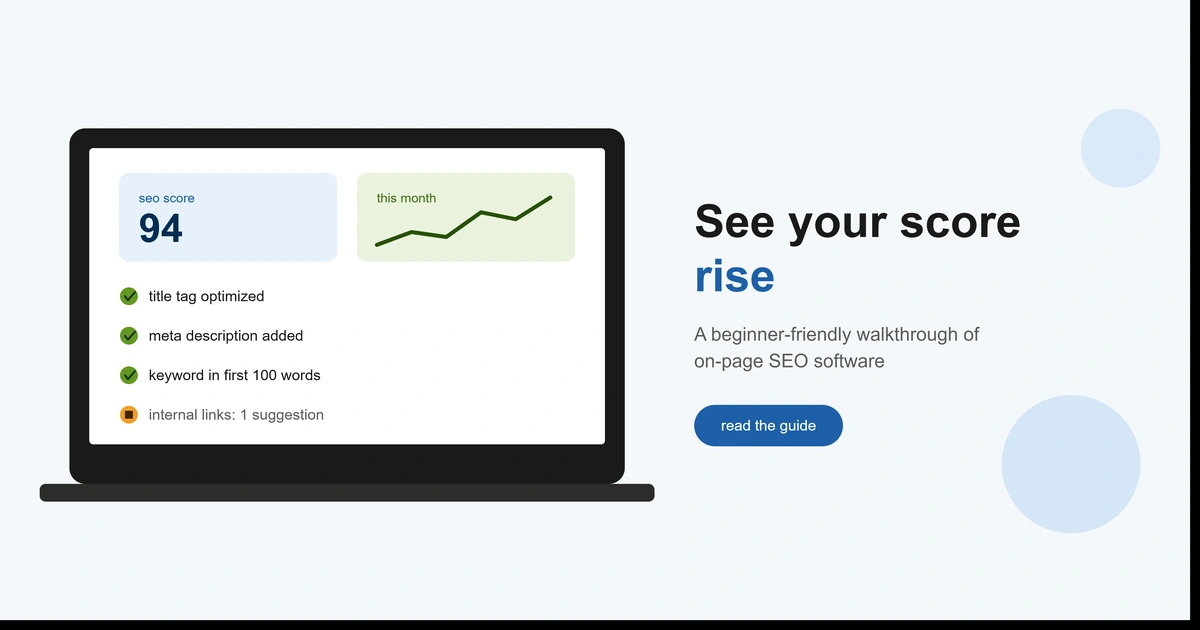
- On-page SEO software evaluates page-level elements: titles, meta descriptions, headers, keyword usage, internal links, and image alt text.
- Titles between 40-60 characters earn the highest click-through rate in search results (Backlinko, 2025).
- URLs containing the target keyword see roughly 45% higher CTR than those without one (Backlinko, 2025).
- Pricing ranges from free WordPress plugins to $50-$200+/month for dedicated platforms with competitor analysis.
- Best suited for teams publishing 4+ pages per month without a dedicated in-house SEO specialist.
Why This Matters for USA Businesses in 2026
If you’ve ever published a page and had no idea whether it was actually optimized, you’re not alone. Most business owners and marketers know SEO matters, but “on-page SEO” specifically — the stuff you control directly on the page itself — gets confused with technical SEO, content marketing, and link building all the time.
This guide is for USA marketers, small business owners, and content teams who want a clear answer to one question: what does on-page SEO software actually do, and is it worth using? We’ll cover the definition, how it works, the features that matter, real use cases, and how to get started.
What Is On-Page SEO Software? (Definition In Depth)
The key word is “on-page.” This distinguishes it from:
- Technical SEO software — audits site-wide issues like crawlability, page speed, and indexing (site-level, not page-level)
- Off-page SEO tools — tracks backlinks and mentions from other websites
- General content tools — focuses on grammar and style, not search performance
How On-Page SEO Software Actually Works
Here’s the simplest way to think about it: the software acts like a very literal, very fast editor who has memorized what tends to rank.
What Are the Four Stages of an On-Page SEO Scan?
- Crawl the page — the tool pulls the live HTML, content, and metadata from the URL you enter
- Score against best practices and competitors — it compares your page’s keyword usage, structure, and length against pages currently ranking for your target term
- Generate recommendations — you get a prioritized list: add keyword to H1, meta description too short, add 2 internal links, and so on
- Re-check after edits — most tools let you re-scan after changes to confirm the score improved
Think of it like a spell-checker, but for search relevance instead of grammar. The difference is that spell-checking is binary — right or wrong — while on-page scoring is a judgment call based on what’s currently working in the search results.
Key Features of On-Page SEO Software
Not every tool includes all of the features below. Beginners should prioritize keyword optimization scoring and meta tag analysis first — the rest matter more as your content library grows.
Benefits of Using On-Page SEO Software
The biggest benefit isn’t any single feature — it’s consistency. When you’re writing five, ten, or fifty pages a month, it’s easy to forget a meta description here or skip an internal link there. Software catches what a busy content calendar lets slip.
higher CTR for URLs containing the target keyword (Backlinko, 2025)
For USA small businesses specifically, on-page SEO software matters because well-optimized titles and URLs directly affect click-through rate — titles between 40 and 60 characters tend to earn the highest CTR in search results, and keyword-rich URLs see the CTR lift above. That’s traffic you’re leaving on the table with a five-minute fix.
Content teams and agencies benefit most because the software standardizes quality across multiple writers, so every article meets the same baseline regardless of who wrote it.
Top Use Cases
Who Should Use On-Page SEO Software?
Perfect Fit
Standardizes quality across multiple writers and speeds up optimization at scale.
Good Fit
Replaces the need for a full-time SEO hire on the on-page side, though not strategy or link building.
Not Ideal
Publishing under 1-2 pages a month, a free checklist is usually enough.
Optimizing existing blog content. Run older, underperforming posts through the tool to find quick wins — often a missing H2 keyword or a thin section is enough to move a page from page 2 to page 1.
Auditing a site before a redesign. Before a redesign or CMS migration, on-page audits create a baseline so you don’t lose ranking signals in the process.
Scaling content production with a team. Agencies and in-house teams use these tools as a quality gate — no article gets published below a minimum score.
Competitive content gap analysis. Compare your page against the top 5-10 ranking competitors to see what subtopics, questions, or sections you’re missing entirely.
Agency client reporting. Many platforms generate before/after score reports, which agencies use to show clients tangible proof of optimization work.
On-Page SEO Software vs. Technical SEO Software
This is one of the most common points of confusion for beginners, so let’s clear it up directly.
| Category | On-Page SEO Software | Technical SEO Software |
|---|---|---|
| Scope | Individual page content and structure | Site-wide infrastructure |
| Typical checks | Keywords, meta tags, headers, readability, internal links | Crawlability, indexing, page speed, broken links, XML sitemaps |
| When to use | Before/after publishing a page | Ongoing site health monitoring |
| Who uses it most | Content writers, marketers | Developers, technical SEOs |
Most businesses eventually need both — a page can be perfectly optimized on-page and still fail to rank if the site has a technical problem blocking it from being indexed.
How to Get Started With On-Page SEO Software
What Are the Steps to Start Using On-Page SEO Software?
- Define your goal — are you optimizing new content, auditing old content, or both?
- Audit your 5-10 highest-traffic-potential pages first — don’t start with your whole site
- Pick a tool that matches your workflow — some plug directly into WordPress or Google Docs, others are standalone
- Apply the top 3-5 recommendations per page, not every single suggestion — diminishing returns set in fast
- Track rankings and CTR over 4-6 weeks to confirm the changes actually moved the needle
| Tool | Best For | Starting Price | Rating |
|---|---|---|---|
| Surfer SEO | Content teams optimizing at scale | $89/mo | ★★★★☆ 4.5 |
| Semrush On-Page SEO Checker | Businesses already using Semrush | $139/mo | ★★★★☆ 4.4 |
| Yoast SEO | WordPress beginners on a budget | Free | ★★★★☆ 4.2 |
Read Our Surfer SEO Review →
Read Our Semrush Review →
Read Our Yoast SEO Review →
Key Takeaways
- On-page SEO software scores individual pages against keyword usage, structure, and top-ranking competitors.
- It saves the most time for teams publishing 4+ pages a month without a dedicated SEO specialist.
- On-page and technical SEO tools solve different problems — most sites eventually need both.
- Start with your highest-traffic-potential pages, not a full-site audit.
- Pricing ranges from free to $200+/month depending on features and content volume.
Frequently Asked Questions
What is on-page SEO software used for?
Is on-page SEO software worth it for small businesses?
What’s the difference between on-page and technical SEO tools?
Can I do on-page SEO without software?
What is the best on-page SEO software for beginners?
How much does on-page SEO software cost?

I’m Shamim Sarker, founder of SoftwareAdvisorHub.com — an independent software review platform built after 8+ years of hands-on SaaS testing. I never accept payment for positive reviews, and I always disclose affiliate relationships upfront.
My goal: Help you find the right software without wasting money on the wrong one.
Areas of Expertise: SEO Tools · Email Marketing · AI Writing Tools · Ecommerce Platforms · CRM Software · Project Management · Analytics
Every review is based on real hands-on testing — no paid placements, no vendor influence. Affiliate links are always disclosed.