Digital Marketing Basics

- Email marketing returns an estimated $36–$42 for every $1 spent, depending on the source
- There are 7 main types of marketing emails, from newsletters to abandoned cart reminders
- Legally, every marketing email needs consent, a physical address, and an easy unsubscribe (CAN-SPAM, GDPR, CASL)
- Segmented, personalized campaigns can lift revenue significantly compared to one-size-fits-all sends
- 2026’s AI inbox tools (like Gmail’s AI Overviews) are starting to change how marketing emails get read and summarized
You’ve probably heard “the money is in the list” a hundred times, and it’s a little annoying because it’s also true. Email marketing is still one of the few marketing channels you actually own — no algorithm decides who sees your message, and no platform can shut off your access to your own audience overnight.
But “send some emails and see what happens” isn’t a strategy. If you’ve ever wondered how a simple newsletter turns into a repeatable system that brings in sales, this guide breaks it down from the ground up: what email marketing actually is, how it works mechanically, the types of emails you’ll use, what it costs, what the law requires, and how AI is starting to reshape the inbox in 2026.
What Is Email Marketing?
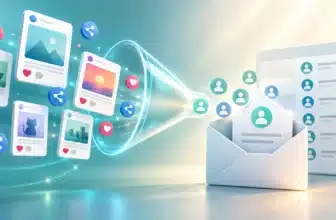
At its core, email marketing exists to do three things: turn prospects into customers, keep existing customers coming back, and keep your brand top-of-mind between purchases. A single promotional email and a year-long automated drip campaign are both “email marketing” — they just sit at different points on the same spectrum.
What separates it from spam is consent. A marketing email goes to someone who opted in through a sign-up form, checkout flow, or similar action. A spam email goes to someone who never asked for it. Understanding that distinction matters more than any tactic — it’s the line email marketing law is built around, which we’ll cover in the legal section below.
How Does Email Marketing Work?
Strip away the jargon and email marketing is a five-step loop: build a list, segment it, create a campaign, send it, then measure what happened so the next send is better. Here’s what each step actually involves.

1. Build Your List
Everything starts with your email list — a database of people who opted in through a sign-up form, a checkout box, or a lead magnet like a free guide. A smaller list of genuinely interested people will always outperform a large list of strangers.
2. Segment Your Audience
Email list segmentation means grouping subscribers by shared traits — purchase history, interests, or how recently they engaged — so you’re not sending the same message to everyone. Segmented sends consistently get higher engagement than one-size-fits-all blasts.
3. Create the Campaign
This is where you write the subject line, design the email, and set the goal for a single, clear call to action. Many marketers A/B test two subject lines on a small slice of the list before sending the winner to everyone else.
4. Send via an Email Service Provider (ESP)
You don’t send marketing emails from a personal inbox. An email marketing software platform (ESP) — the engine behind most email marketing automation — handles list management, deliverability, and scheduling at scale.
5. Measure Results
Once it’s sent, you track open rate, click-through rate, and unsubscribes to see what worked. That feedback loop is what turns a one-off email into a repeatable email marketing funnel that improves over time.
Types of Email Marketing
Not every marketing email has the same job. Knowing which type to use — and when — is what separates a scattered sender from a strategic one. Here are the seven types you’ll use most.
Promotional Emails
These push a specific offer: a sale, a discount code, or a limited-time deal. They’re the most direct type, built to prompt an immediate purchase decision.
Welcome Emails
Sent right after someone subscribes, a welcome email introduces your brand, sets expectations for what they’ll receive, and often includes a first-purchase incentive.
Newsletter Emails
Regular, recurring sends — weekly or monthly — that share updates, curated content, or industry insights. Newsletters build the “familiar and trustworthy” relationship that promotional emails alone can’t.
Transactional Emails
Triggered by an action, not a campaign: order confirmations, shipping updates, password resets. They have the highest open rates of any email type simply because the recipient is expecting them.
Abandoned Cart Emails
Sent when someone adds items to their cart but leaves without buying. A short, well-timed sequence — sometimes three to five emails — can recover a meaningful share of that lost revenue.
Re-Engagement Emails
Aimed at subscribers who’ve gone quiet, these try to win back attention with a “we miss you” offer or a simple check-in before removing inactive contacts from the list entirely.
Drip / Automation Sequences
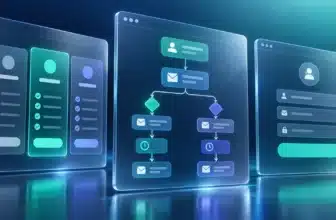
A drip campaign is a pre-built series of emails triggered by a specific action — signing up, browsing a category, or hitting a milestone — that nurtures a subscriber over days or weeks without any manual sending.
Why Email Marketing Matters (Benefits & ROI)
Every other channel routes through someone else’s algorithm. Email doesn’t. That single difference is why it keeps outperforming flashier channels year after year — you own the list, and no platform update can take that away.
Sources don’t fully agree on the exact ROI figure, which is worth showing rather than picking one number to sound more confident: email marketing research firm Litmus puts the average return around $36 for every $1 spent, while other industry estimates run as high as $42 per $1. Either way, the direction is the same — email remains one of the highest-ROI channels in digital marketing.
| Benefit | What It Means | Example Metric |
|---|---|---|
| You own the audience | Your list isn’t subject to a platform’s algorithm or policy changes | No reach throttling, unlike organic social |
| High ROI | Low cost per send once a subscriber is acquired | ~$36–$42 return per $1 spent |
| Personalization at scale | Segmentation lets you send relevant content instead of one message to everyone | Segmented campaigns significantly outperform generic blasts |
| Measurable performance | Every send generates trackable data you can act on | Open rate, click-through rate, bounce rate |
| Recovers lost revenue | Automated sequences catch drop-off moments like cart abandonment | Abandoned cart emails average a 54.02% open rate, per SaleCycle |
That last row matters more than it looks. An abandoned cart email isn’t a promotional blast — it’s a message sent to someone who was already halfway to buying, which is exactly why it earns such a high open rate compared to a cold send.
Email Marketing Laws & Permission Basics
Getting the strategy right doesn’t matter much if the emails themselves break the law. The rules vary slightly by region, but they’re all built around the same idea: consent, honesty, and an easy way out.
United States — CAN-SPAM
Per the FTC’s CAN-SPAM compliance guide, commercial email in the US must include a clear opt-out method, a valid physical postal address, and a subject line that accurately reflects the email’s content. Getting permission first isn’t strictly required by CAN-SPAM the way it is elsewhere, but it’s still the practice every reputable ESP requires.
Canada — CASL
Canada’s Anti-Spam Legislation generally requires consent — express or implied — clear sender identification, and an unsubscribe mechanism before you send commercial electronic messages. A business card handed over at a conference isn’t automatically enough on its own.
Europe & UK — GDPR / PECR
Per ICO guidance on PECR, UK and EU rules are stricter for marketing email to individuals — you generally need specific, informed consent, with a narrow “soft opt-in” exception for similar products to existing customers who were given a chance to opt out.
How AI Is Changing Email Marketing in 2026
The inbox itself is changing, and it’s worth understanding before you plan your next campaign. Google and Yahoo have both rolled out AI-powered summary tools that read and condense email content before a subscriber even opens the message.
What’s Actually Changing
Gmail’s AI Overviews can now summarize long threads and, for some subscribers, surface a short synopsis of a marketing email before they click in. Yahoo Mail offers a similar AI-generated summary feature that highlights key actions like tracking updates or event invites.
This creates a real tension for marketers. AI summarizers tend to prioritize clear, scannable text and can skip over information buried in images — which cuts against a trend of ecommerce brands leaning on all-image emails with little to no live text.
How to Adapt
- Keep key information in live text, not locked inside a graphic, so AI summaries and screen readers can actually parse your offer
- Front-load your value in the first line or two — AI summaries often pull from the top of the email
- Write clear, literal subject lines rather than clever ones that rely on curiosity alone, since a summary layer may already reveal your intent before the open
- Don’t panic-abandon automation — behavioral triggers and segmentation still work exactly as before; only the reading layer between your email and the subscriber has changed
No one has this fully solved yet, including the major platforms. Treat 2026’s AI inbox tools as a reason to write clearer emails, not as a reason to rethink your entire strategy.
Common Challenges & How to Fix Them
Almost every beginner runs into the same handful of problems. The good news: each one has a practical, well-understood fix.
| Challenge | Why It Happens | Fix |
|---|---|---|
| Landing in spam | Poor sender reputation, purchased lists, or sudden sending-volume spikes | Warm up new sends gradually, authenticate your domain, and never buy lists |
| List fatigue | Too many generic blasts train subscribers to ignore your emails | Segment by interest, and reduce frequency for less-engaged contacts |
| Weak list quality | Contacts who never genuinely opted in drag down deliverability | Grow lists through forms and lead magnets, not purchased contacts |
| Not enough time to create content | Every email is written from scratch with no repeatable process | Use templates and one automated welcome sequence to cut manual workload |
| Low open rates | Vague or repetitive subject lines, or sending at the wrong time | A/B test subject lines and send times against your specific audience |
How to Get Started
None of this requires a big team or budget. Here’s the simplest realistic path to your first campaign.
If you’re still deciding which platform fits your needs, our guide to choosing email marketing software walks through what to look for at each budget level.
- Email marketing is a five-step loop: build, segment, create, send, and measure — each cycle improves the next
- There are seven core email types, and most businesses use a mix rather than relying on just one
- Reported ROI runs $36–$42 per $1 spent, making email one of the highest-return channels available
- Consent is the legal foundation everywhere — CAN-SPAM, CASL, and GDPR all protect it, and buying lists violates all three
- AI inbox summaries reward clear, literal, text-forward emails over image-heavy, clever ones
Frequently Asked Questions
How does email marketing work step by step?
What are the types of email marketing?
Is email marketing still effective in 2026?
How much does email marketing cost?
What is the ROI of email marketing?
What’s the difference between email marketing and spam?
What software do you need for email marketing?
Final Thoughts
Where this gets more complicated is choosing the right software to run it on, since your ESP handles everything from list management to deliverability to automation. If you’re at that stage, our guide to choosing email marketing software breaks down what to look for based on your list size, budget, and how much automation you actually need.
Sources & References
- Litmus, “Email Marketing ROI” (accessed 2026) — litmus.com
- Information Commissioner’s Office (UK), “Guide to PECR — Electronic Mail Marketing” (accessed 2026) — ico.org.uk
- Canadian Radio-television and Telecommunications Commission, “CASL FAQ” (accessed 2026) — crtc.gc.ca
- Federal Trade Commission, “CAN-SPAM Act: A Compliance Guide for Business” (accessed 2026) — ftc.gov
- SaleCycle, “Cart Abandonment Email Statistics” (2024) — salecycle.com
I’m Shamim Sarker, founder of SoftwareAdvisorHub.com — an independent software review platform built after 8+ years of hands-on SaaS testing. I never accept payment for positive reviews, and I always disclose affiliate relationships upfront.
My goal: Help you find the right software without wasting money on the wrong one.
Areas of Expertise: SEO Tools · Email Marketing · AI Writing Tools · Ecommerce Platforms · CRM Software · Project Management · Analytics
Every review is based on real hands-on testing — no paid placements, no vendor influence. Affiliate links are always disclosed.